
Last Updated: November 8, 2026
Quick Summary
Marketing automation for local retailers means software that sends the right email or text to customers based on triggers like a purchase, a signup, or a long gap since the last visit. Small stores can start with a simple email-first tool that connects to their point-of-sale system, without anyone pressing send manually.
- Connect your point-of-sale system so purchases feed your email tool automatically.
- Build a welcome series first, since new subscribers respond most to it.
- Segment customers by home store or ZIP code so messages stay relevant to each location.
- Review automated flows every quarter to catch expired offers and outdated product references.
- Track revenue from automated flows, repeat purchases, and lapsed-customer returns against prior periods.
Table of Contents
- What Marketing Automation Means for a Local Retailer
- How Automation Supports Store-Level Campaigns
- Marketing Automation for Local Retailers Examples
- Choosing the Best Marketing Automation for Local Retailers
- Setting Up Automated Email Marketing for Retail Stores
- Building Retail Customer Loyalty Automation
- Budget, Privacy Rules, and Measuring Results
- Booking Your Marketing Automation Setup with Easy Street Social
- Frequently Asked Questions
What Marketing Automation Means for a Local Retailer
Marketing automation is software that sends the right message to the right customer at the right time, without someone pressing send each time. For a local shop, that usually means emails after a first purchase, texts about a weekend sale, or a reminder when a loyal customer has not visited in a while.
Marketing automation for local retailers works by connecting three things: a list of customers, a set of triggers, and a set of messages. A trigger might be a new email signup, a purchase at the register, or 45 days without a visit. The software fires the matching message. Nobody has to remember to do it.
Most small retailers do not need an enterprise platform. They need a tool that connects to their point of sale, handles email and text, and lets a non-technical owner build a few simple workflows. That is the real goal here, and it is more modest than most vendor marketing suggests.
How Automation Supports Store-Level Campaigns
Store-level campaigns are promotions tied to one location: a downtown shop’s grand reopening, a suburban store’s clearance event, or a seasonal display. Automation helps because it lets you schedule those campaigns in advance and target only the customers who live near that store.
A common mistake is sending one citywide blast to everyone on the list. Customers across town have no reason to drive to a store on the other side of the area. Segment by store, or by the ZIP codes your customers actually shop from, and most of your messages become relevant.
Set up a simple store-level workflow like this:
- Tag each customer with their home store or most frequent location.
- Build one campaign per store, with its own offer and dates.
- Schedule the send for the days before a known traffic peak.
- Pause the campaign automatically once inventory for the promoted item runs out.
Coordinating several stores by hand quickly becomes difficult to manage. For real-world examples of automated advertising for local businesses, see AI Marketing for Restaurants.
Marketing Automation for Local Retailers Examples
Examples make the idea concrete. Here are three automations that local retailers commonly set up, each with a clear trigger and a clear goal.
Welcome series. When someone joins your email list at the register, they receive a short sequence over the first two weeks. The first email thanks them and states what to expect. The second highlights a best-selling product.
Post-purchase follow-up. Three days after a purchase, the customer gets a thank-you note and a request for a review. Two weeks later, they receive a complementary product suggestion. Reviews help local search visibility, and repeat purchases help revenue.
Lapsed customer win-back. When a customer has not bought anything for a set period, the system can send a friendly reminder with a modest offer.
Treat these as starting points, not templates to copy blindly. To learn how to track local marketing ROI for your store, read How do you track local marketing ROI?.
Choosing the Best Marketing Automation for Local Retailers
Choosing a tool comes down to fit, not feature count. If you want a provider that handles automation for local businesses in the Michigan and Ohio area, see Attorney Marketing in Lambertville, Michigan.
Before you compare vendors, write down four things: your POS system and whether it has a native integration with the email tool; the number of contacts you expect to hold in year one; the channels you actually plan to use (email only, or email plus SMS); and who on staff will build and maintain the flows. That last item matters most. A platform nobody has time to configure is a subscription you cancel in month four.
The main option types you will encounter.
| Option Type | Best For | Typical Strength | Main Drawback |
|---|---|---|---|
| Email-first platform (e.g., Mailchimp, Klaviyo, Constant Contact) | One or two stores with an online shop | Strong email templates, easy automations, free or low-cost entry tiers | Weaker in-store and SMS tools; POS sync often limited to a paid tier |
| Retail-focused suite (e.g., retail marketing modules inside Shopify, Lightspeed, or Square) | Multi-location shops already on that POS | Store-level segmentation and purchase data flow automatically | Higher learning curve and cost; you are tied to that POS ecosystem |
| All-in-one local marketing tool (e.g., listings-and-reviews platforms with email/SMS add-ons) | Owners who want email, texts, and local listings in one login | Less tool-switching; local listing sync included | Fewer advanced automation options; SMS often metered |
| SMS-first platform (e.g., Textedly, SimpleTexting, Postscript) | Stores with a strong in-store signup habit | High open rates; fast campaign sends | Requires express written consent under the TCPA; per-message costs add up |
What to actually evaluate. Ask each vendor these questions in writing: Does it integrate natively with my POS, or only through a third-party connector?
Typical cost ranges to expect. Pricing for these tools depends on contact count, locations, and the channels you need, including whether SMS is billed separately.
Pros of automation for local retail: It saves staff time, keeps follow-up consistent, and helps you reach lapsed customers who would otherwise be forgotten.
Cons to weigh: Setup takes real effort, bad segmentation annoys customers, and a poorly connected POS leaves you with incomplete data.
Skip it if: you have no customer contact information yet. Build a signup habit first, then automate.
Watch out: a platform that looks cheap at a small contact count can become expensive as the list grows, especially if contacts are billed per profile and the list is never cleaned. As your list grows, a clear automation plan helps keep pruning and follow-up manageable, so Think Big & Win Today while building habits that support broader digital automation.
Setting Up Automated Email Marketing for Retail Stores
Email is usually the first channel to automate, because it is inexpensive and easy to measure. Start with one welcome series and one post-purchase flow before building anything more ambitious.
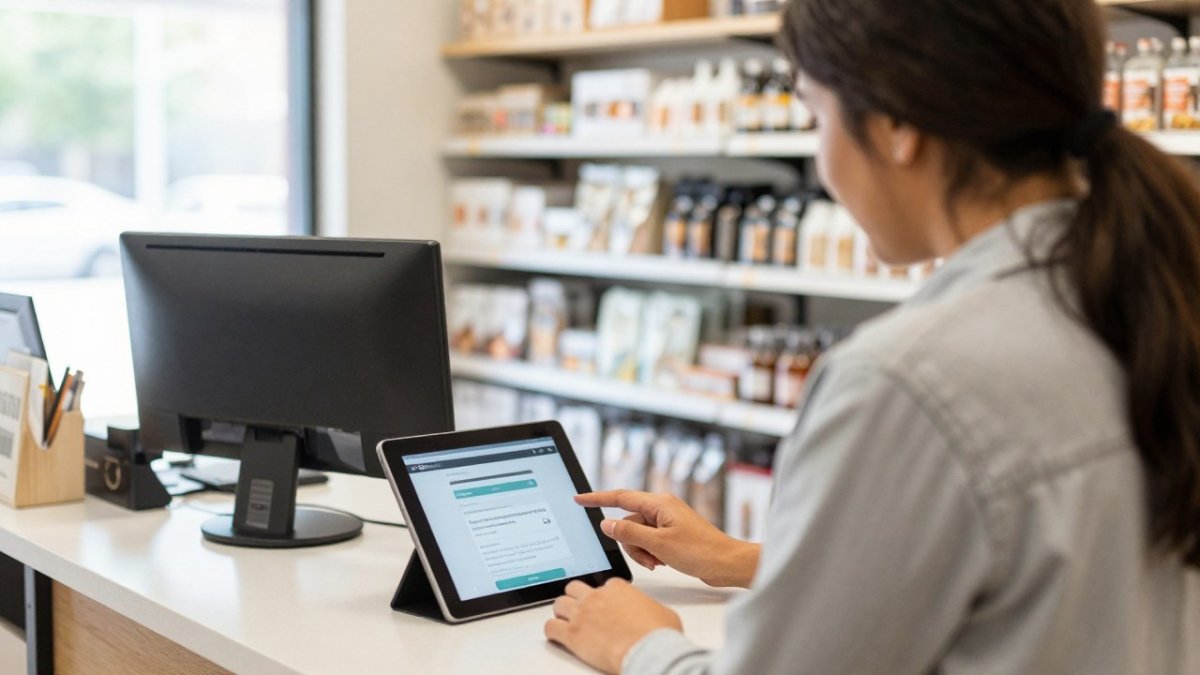
Work through the setup in this order:
- Connect your point-of-sale or e-commerce system so purchases flow into the email tool.
- Import your existing list and remove anyone who has not opted in.
- Build the welcome series first, since new subscribers respond most.
- Add a post-purchase flow and a 60-day win-back flow.
- Send a test to yourself on mobile before activating anything.
Watch out: an automated email that refers to a product the customer already bought, or an offer that expired last month, does more damage than sending nothing. Review your flows every quarter.
Keep messages short and specific to the store. A note that says “Our Maple Street team restocked the winter jackets” beats generic chain-style copy.
Building Retail Customer Loyalty Automation
Loyalty automation rewards repeat visits without requiring a complicated points program. The simplest version tracks how many times a customer has purchased and sends a reward at set milestones, such as a discount after the fifth visit.
Retail customer loyalty automation works best when the rewards feel earned and easy to use. Send the reward code by email or text the moment the milestone is hit, and include the expiration date. Make sure the code works at every location if you run more than one store.
Your team also needs a clear way to handle exceptions, such as a customer who says they never received a code. Automation handles the routine cases; a person should handle the rest. Keep a simple process for staff to look up and reissue rewards.
Budget, Privacy Rules, and Measuring Results
Budget the whole cost, not just the subscription. The software fee is the smallest line for most independent retailers in the first year.
Privacy and consent, operationally. In the United States, the CAN-SPAM Act governs commercial email: you need an accurate sender identity, a non-deceptive subject line, a physical postal address in the message, and a working unsubscribe mechanism honored within 10 business days (the FTC). Texting is stricter. The Telephone Consumer Protection Act (TCPA) requires prior express written consent for marketing texts sent with an autodialer, and the consent must be clear, conspicuous, and not bundled with other terms. The Federal Trade Commission publishes guidance on CAN-SPAM, and the Federal Communications Commission publishes TCPA guidance; read the current versions before you launch SMS.
In practice, consent management means three habits. First, capture consent at the point of collection with a checkbox or keyword opt-in that records the date, source, and exact language the customer agreed to. Second, keep that record in the platform, not in a spreadsheet on a store laptop. Third, make opt-out as easy as opt-in: honor STOP replies automatically, and never re-add someone who unsubscribed.
Measuring results, including store visits. Track a small set of numbers consistently: revenue attributed to automated flows versus manual campaigns, repeat purchase rate, lapsed-customer return rate, and SMS opt-out rate. Compare against the same period before you automated.
Attribution for in-store sales is harder than for online orders, and perfect attribution is not realistic. First, issue a unique promo code per campaign and reconcile redemptions at the POS. Second, ask at checkout how the customer heard about the offer, and log the answer in your POS or a simple tally sheet. Third, pull location-level reports from your POS and compare store traffic and sales in the weeks a campaign ran against matched weeks when it did not.
Watch out: an automated flow that keeps sending after a customer unsubscribes, or a text campaign launched without recorded written consent, creates legal exposure that can outweigh any revenue it generates. Audit consent records and unsubscribe handling before you scale any SMS program.
Booking Your Marketing Automation Setup with Easy Street Social
Setting up automation well takes time, and most retailers would rather spend that time running the store.
Pricing depends on the number of locations, contacts, and the channels you need, so contact Easy Street Social directly for a current quote.
Frequently Asked Questions
Do I need an expensive platform to start?
Usually not. Most local retailers can start with an email-first tool that connects to their point of sale.
How long does setup take?
Simple flows like a welcome series can be built in a few hours.
Is it legal to send automated marketing messages?
Yes, when you follow the rules.
How do I know if automation is working?
Compare revenue from automated flows, repeat purchase rate, and lapsed-customer returns against the period before automation. Give it several months before judging.
Frequently Asked Questions
How can a local retailer automate its marketing?
Start with one repeatable task, such as a welcome email for new customers or a reminder text after a purchase. Connect your point-of-sale or customer list to a marketing platform, then build one trigger-based workflow at a time. Add channels only after the first workflow runs reliably. Easy Street Social can help you map the setup, and current pricing depends on the services you choose, so request a quote for exact figures.
What marketing tasks can a retail store automate?
Common tasks include welcome sequences for new subscribers, birthday or anniversary offers, post-purchase follow-ups, win-back emails for lapsed customers, review requests, and social posts scheduled around store events. Automation handles the timing and delivery, while staff still decide offers, creative, and which audiences to target. Review each workflow monthly to confirm it still matches your inventory and promotions.
What are some marketing automation examples for local retailers?
A boutique might send a thank-you email three days after a purchase, followed by a restock reminder at 60 days. A hardware store could text a loyalty member when a seasonal product returns to shelves. A café might trigger a reward message after the fifth visit. Each example depends on capturing consent and tracking purchases, so start with the customer data you already collect at checkout.
How can a retailer measure the results of marketing automation?
Track campaign-level metrics such as open rate, click rate, and conversion rate, then connect them to in-store results using promo codes, unique offers, or loyalty IDs at checkout. Compare sales from automated customers against a control group that did not receive the workflow. Review results monthly and adjust timing or offers based on the data rather than assumptions.
