
Last Updated: November 4, 2026
Quick Summary
Effective local SEO for service area businesses starts with configuring Google Business Profile service areas that match where crews actually work. Build one distinct page per area, avoiding cannibalization, and keep NAP information consistent across citations. Reviews and clear calls to action then convert local searches into jobs.
- List only the cities, ZIP codes, or radius your crews can realistically reach within a normal working day.
- Hide your home address in profile settings while ensuring verification details match your registration documents exactly.
- Diagnose cannibalization in Search Console, then consolidate near-duplicate pages with 301 redirects instead of noindexing them.
- Audit Name, Address, and Phone number listings at least twice a year, correcting outdated details and wrong categories.
- Ask every satisfied customer for a Google review, and respond to every review, positive or negative.
Table of Contents
- Why Service Area Businesses Face Different Local SEO Rules
- Setting Up Your Google Business Profile Service Area Settings
- Service Area Page Best Practices That Avoid Cannibalization
- Keeping NAP Consistency and Local Citations Accurate
- Local SEO for Contractors: Reviews, Schema and Conversion
- Adjusting Your Strategy After Google Updates in 2025 and 2026
- Booking Your Local SEO Audit This Quarter
- Frequently Asked Questions
Why Service Area Businesses Face Different Local SEO Rules
Service area businesses, or SABs, are companies that travel to customers rather than waiting for them at a storefront. Plumbers, roofers, landscapers, electricians, and mobile detailers all fall into this category. Local SEO strategies for service area businesses differ from standard local SEO because Google treats a business without a public storefront differently when it decides who appears in the map pack. This distinction causes more confusion than almost any other part of local search.
The core difference is simple. A restaurant tells Google exactly where it sits and ranks for searches near that spot. A SAB has to tell Google which areas it serves, and it has to do so without pretending a home office is a storefront. That tension shapes every decision in this guide.
Most SABs get stuck on one of three problems: hiding a home address they do not want public, deciding whether to build pages for every town they cover, or watching competitors with weaker websites outrank them in the map pack. Each problem has a practical fix, and we cover them in order below.
Setting Up Your Google Business Profile Service Area Settings
Your Google Business Profile is the foundation of local search visibility for a service business. Start by choosing the right primary category, then add the specific services you offer as separate entries. Categories like “Roofing contractor” or “Plumber” tell Google what you do, while service entries help match you to more specific queries. Pick the most specific category available rather than a broad one, and add secondary categories only when they describe work you actually perform.
!A contractor in work clothes reviewing a service area map on a smartphone beside a parked work van
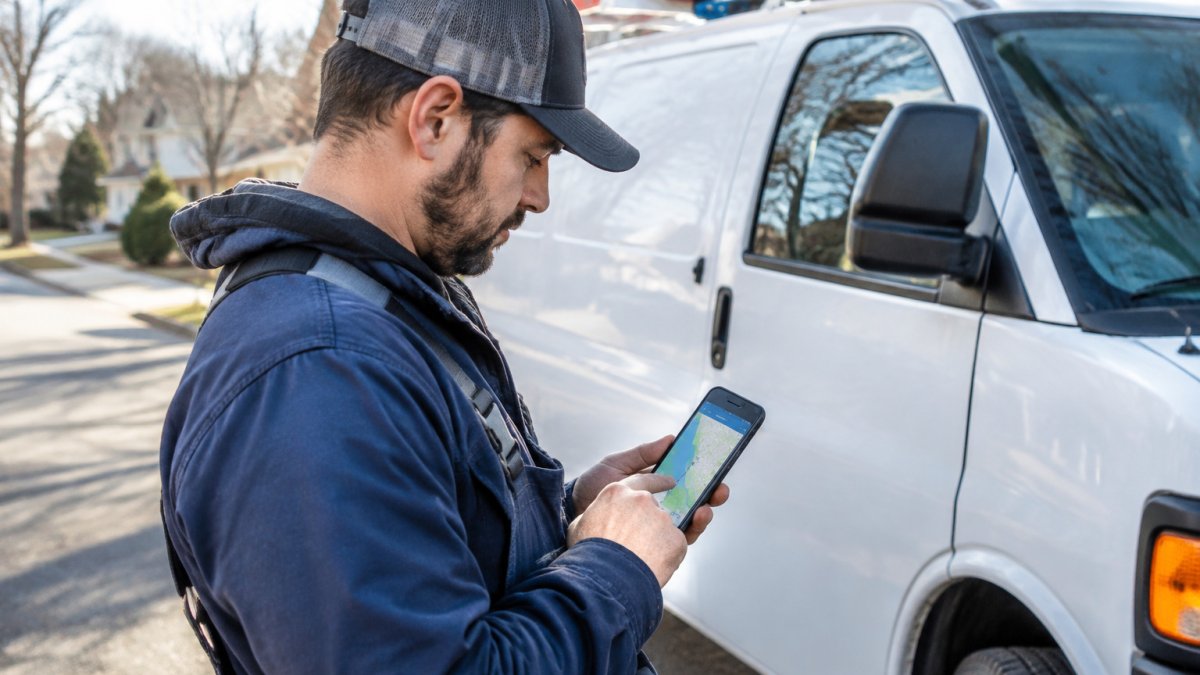
Next, configure your service area. Google lets you list service areas as cities, ZIP codes, or a radius around your base. If you would rather have this configured for you, done-for-you GBP optimization handles the service area setup along with the rest of your profile. Keep the list realistic. A business that claims forty towns across three states usually gets less visibility in each one than a business that focuses on the ten towns where crews actually work. Google also rewards consistency between your profile and the service pages on your site, so the areas you list should match the areas you cover on your website. If you serve a metro area, list the core cities and ZIP codes rather than a single wide radius; radius settings are harder for Google to match to specific queries.
A common mistake is adding every nearby town out of habit. If your crews cannot reach a suburb within a normal working day, leave it off. Inaccurate service areas generate poor-fit leads and weaken trust with the customers you do want.
Hiding Your Address Without Breaking Verification
Many SAB owners run their business from a home office and do not want their address published. Google allows this. In your profile settings, you can mark the business as a service area business and hide the street address from public view. The address is still required for verification, which is where owners often get stuck.
Google verifies businesses through a process that may vary, and you should check Google’s current verification options in your Google Business Profile settings. If you run into verification trouble, check that your business name, category, and address match your registration documents exactly. Mismatches are a frequent cause of rejected verification attempts.
Service Area Page Best Practices That Avoid Cannibalization
Service area pages let you target searches like “emergency plumber in Maple Grove.” Done well, they bring in qualified local traffic. Done poorly, they compete with each other and with your homepage, a problem called cannibalization. When several pages target nearly identical terms, Google often ranks none of them well.
Cannibalization in a SAB site usually takes one of three forms. The first is homepage-versus-city-page overlap, where the homepage targets “plumber in [metro]” and a city page targets the same phrase. The second is city-page-versus-city-page overlap, where pages for neighboring suburbs use nearly identical titles, headings, and body copy. The third is service-page-versus-city-page overlap, where a general “drain cleaning” page and a “drain cleaning in [city]” page chase the same query. Each form has a different fix, so diagnose before you write.
Start with a simple audit. Export your pages from Google Search Console, filter for queries containing your target city names, and look for two or more URLs ranking for the same query in the same position range. A common pattern is to see the homepage ranking in position 8 for a city query while the dedicated city page sits in position 40.
Give each page a distinct purpose and a distinct query target. A page for a town should mention local details such as neighborhoods served, nearby landmarks, typical job types in that area, and any local permit requirements. Avoid copying the same paragraph and swapping the town name. Thin, templated pages are one of the most common reasons service area sites stall in search.
Structure the site so each page has one job. Let the homepage own brand and broad metro terms. If you want help planning and building these pages, professional SEO and local search services cover the strategy and execution. Let service pages own non-geo service terms. Let city pages own “service + city” terms. Use internal links to make that hierarchy explicit: link from each city page up to the relevant service page, and from the service page down to the city pages where you actually work.
Limit the number of pages to areas where you have real demand and real capacity. Ten well-built pages will usually outperform forty thin ones. If you already have forty thin pages, consolidate rather than delete: merge near-duplicate pages into one stronger page, then set a 301 redirect from the old URL to the consolidated page so you keep any accumulated signals.
Watch out: do not solve cannibalization by noindexing city pages, because that removes them from search entirely; consolidate or differentiate instead.
Link each page back to your main service pages so users and search engines can see how the pieces connect. After consolidation or differentiation, give the changes four to six weeks before judging results, and track each page’s impressions and average position in Search Console rather than relying on rank-checker snapshots alone.
Keeping NAP Consistency and Local Citations Accurate
NAP stands for Name, Address, and Phone number. Google checks whether your business information matches across the web, including directories, industry sites, and social profiles. Inconsistent details, such as “Ave.” on one listing and “Avenue” on another, can weaken your local rankings and confuse potential customers.
Audit your listings at least twice a year. Search for your business name and phone number, then check the top directories and any industry-specific sites where you appear. Correct outdated phone numbers, old business names, and wrong categories.
Focus on quality over volume. A handful of accurate citations on reputable local and industry directories is worth more than hundreds of listings on low-quality aggregator sites.
Local SEO for Contractors: Reviews, Schema and Conversion
Contractors often win or lose jobs on reviews before a customer ever visits the website. Ask every satisfied customer for a Google review, and make the request easy by sending a direct link (Create a Google link or QR code to request reviews). Respond to every review, positive or negative, with a short, professional message. Reviews that mention specific towns and services also help your visibility for local searches. For contractors targeting a specific market, see contractor marketing in Temperance, Michigan for local visibility options.
Local business schema markup is structured code that can tell search engines your business name, service areas, phone number, and hours in a machine-readable format. Pair it with clear calls to action on every service page, such as a click-to-call button and a short estimate form. Visitors who arrive from local search are ready to act, so the page should make calling or requesting a quote the obvious next step.
Track which pages produce calls and form submissions in Google Search Console and your analytics platform. Use that data to decide which service areas deserve more investment.
Adjusting Your Strategy After Google Updates in 2025 and 2026
Google’s local ranking systems change over time, and businesses generally benefit from showing real-world activity and clear relevance. Rather than chasing each update, focus on signals that hold up over time: accurate profile information, genuine reviews, consistent citations, and service pages that answer real customer questions.
After any noticeable ranking shift, check your Google Business Profile insights, your Search Console performance data, and your map pack position for your core terms. Compare the timing against known update dates. Avoid making several changes at once, because you will not know which one caused a result. Change one element, measure for several weeks, then decide what to do next.
Booking Your Local SEO Audit This Quarter
The fastest way to see where your service area business stands is an honest audit. Review your profile settings, your service area list, your citation consistency, your review volume, and your service pages for cannibalization. Note what is working, what is broken, and what would move the needle most.
If you would rather have experienced help, you can contact Easy Street Social for current service details and a quote. Book a local SEO audit to see where your visibility is leaking and what to fix first.
Frequently Asked Questions
How do I optimize my Google Business Profile for a service area business?
Start by choosing the correct primary category and adding every service you offer. Then set your service areas by city, ZIP code or radius in the Google Business Profile settings, and hide your street address if you work from home. Keep your business hours, phone number and website accurate, respond to reviews, and post updates regularly. Verify that your listing shows the same name, address and phone number you use on your website and in citations. Consistent, complete profiles give Google clearer signals about where you operate.
What is the difference between a service area business and a brick-and-mortar business in SEO?
A brick-and-mortar business shows its street address to customers and typically ranks based on proximity to the searcher’s location. A service area business travels to customers, so it hides its address in Google Business Profile and defines the cities or radius it serves. Both types can rank in the local map pack, but service area businesses rely more heavily on service area pages, citations and reviews to signal relevance. Many ranking factors overlap, though the verification and address rules differ.
Should I create separate landing pages for every city I serve?
Not automatically. Create a dedicated page only when you have genuinely local information to share, such as local projects, neighborhood details or customer reviews from that area. Thin pages that swap a city name into the same text tend to compete with each other and dilute rankings. Group nearby towns onto one stronger page when the services are identical, and focus your effort on the areas that generate the most leads.
How can I rank in local search results without a physical office address?
Use a Google Business Profile with your service areas defined and your address hidden, then build consistent citations across major directories. Earn reviews that mention the towns and services you provide, publish service area pages with real local detail, and add local business schema to your website. Verification may require a postcard or video with your business, so confirm your listing is verified before expecting map pack visibility.
